 caliope.
Open source · Windows · GitHub Copilot
An alternative to the GitHub Copilot app.
Give it a task. It reads your code, makes the change and opens the pull request, on your own Copilot plan.
- No admin rights or API keys
- See what each session costs
- Free and open source
src/invoice.tslines 1–184formatDate uses UTC instead of the customer's time zone. I'll pass the time zone from the customer record and add a test for an invoice made at 23:30.src/invoice.ts+6 −2npm test✓ exit 0 · 8.4 sReview the changeGPT-5.4 mini · read-onlygit commit -am "Show invoice dates in the customer's time zone"
Why Caliope
Faster, at less than half the cost
Than the GitHub Copilot app, on browser-heavy work with the same model (see the test).
Watch it work
The agent's browser runs right next to the chat. Take over whenever you want.
Actually stays signed in
Logins last across sessions and restarts, separate per project. The Copilot app's browser loses them (known issue).
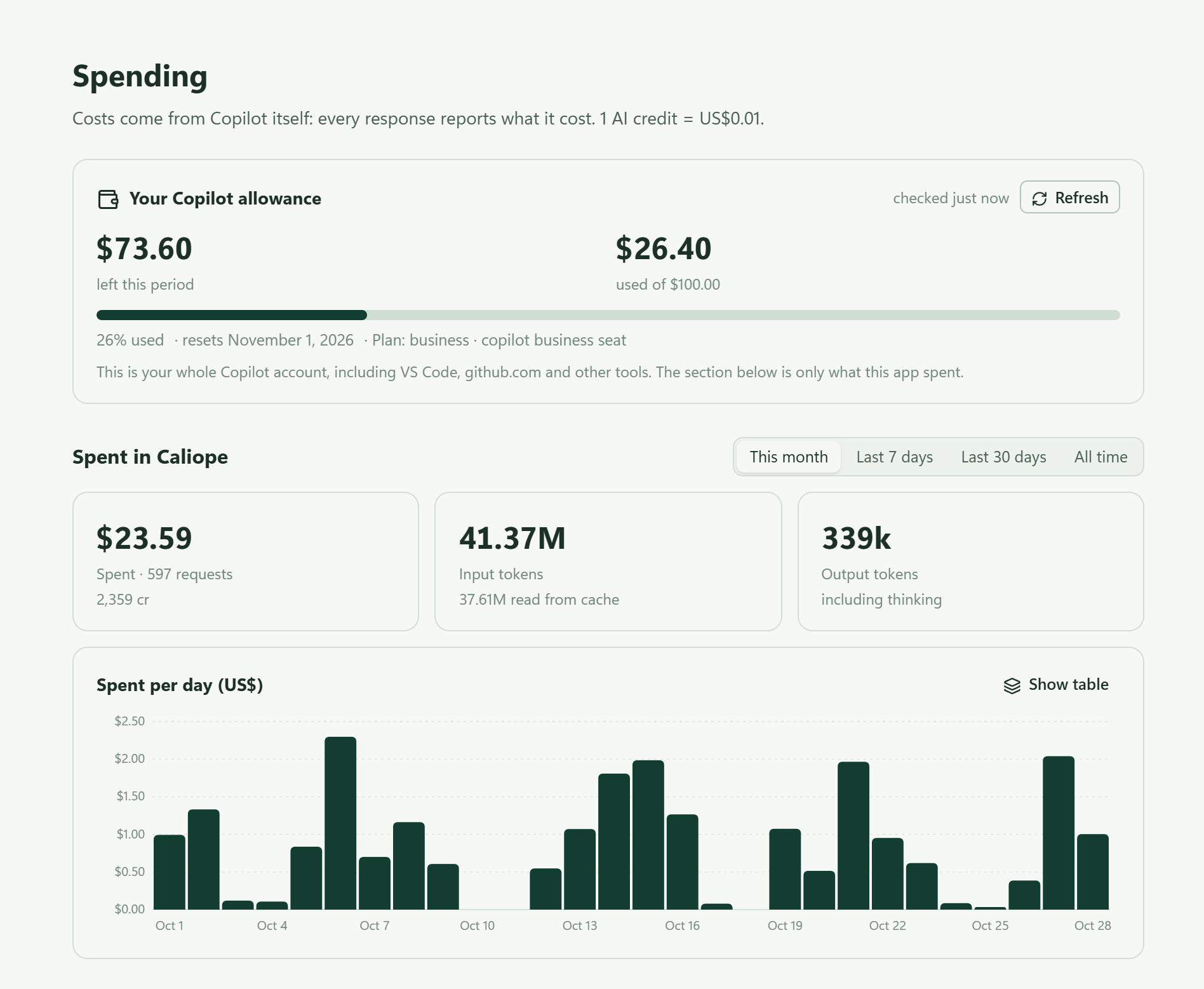
Spending
See what you spend
Features
What it does
Any model in your plan
Claude, GPT and Gemini from your Copilot plan. Switch during a session.
What every session costs
The cost of each request, session and model. Set a monthly limit per project.
Long sessions
Long conversations get summarized, so a session keeps going. The agent can search your past sessions.
Scheduled tasks
"Check the pipeline every 10 minutes until it passes." It schedules that itself.
Approvals
Approve each edit and command first, or let Auto ask only about risky ones.
Subagents
Hand searches and reviews to other models, several at once.
Its own browser
It tests your web app in a browser of its own, with a separate profile per project.
MCP servers
Add tools from other programs, such as Azure DevOps work items and pipelines.
Git and pull requests
Commit with /commit, open a pull request on GitHub or Azure DevOps with /pr. It uses the git sign-in already on your PC.
Instructions, skills and memory
Reads AGENTS.md, CLAUDE.md and Claude Code skills. Each project keeps its own notes.
Safety limits
Skips .env files and private keys. A cloned repository's instructions load only after you trust it.
Work laptops
No installer, no admin rights
Installs for you only
In your own Windows profile, Node.js included. Or unzip it anywhere.
Works behind a company proxy
Set the proxy in Settings. It trusts the Windows certificate store, so HTTPS inspection works.
Encrypted sign-in
Your GitHub token is encrypted for your Windows account.
Works with browser policies
Chrome blocked for remote control? The agent uses Edge.
Install
Get Caliope for Windows
Or paste this into PowerShell:
irm https://github.com/caliope-app/caliope/releases/latest/download/install.ps1 | iex
It installs for your Windows account, adds Caliope to the Start menu and updates with one click.
After the download
- Open the zip, click Extract all and pick a folder you'll keep.
- Double-click
Caliope.cmdin that folder. - If Windows warns you, click Run, or More info and Run anyway.
- Sign in with GitHub.
Questions
FAQ
How is it different from the GitHub Copilot app?
GitHub's app is the official one. It also runs on macOS and Linux, works with Copilot Free and can run sessions in the cloud. Caliope is open source, sends no telemetry, shows the cost of every request and caps spending per project. It uses a Copilot service GitHub doesn't document for other apps, so it may stop working if GitHub changes that service.
Is Caliope made by GitHub?
No, it's an independent open-source app. It uses the same Copilot service as GitHub's own tools, and every request counts against your Copilot plan.
Do I need an API key from OpenAI, Anthropic or Google?
No. All models come through your Copilot plan, so you don't need an account with a model provider.
Can I use it at work?
Yes, if your company's Copilot policy allows Copilot outside the editor. Also check that your client contracts allow AI tools on their code.
Is my code used to train models?
Not on Copilot Business and Enterprise. On Copilot Pro and Pro+, check the training setting on github.com before you work on client code.
What does it cost?
Caliope is free. The models use AI credits from your Copilot plan.
Do I keep my sessions when I update?
Yes. Sessions, settings and your sign-in are stored apart from the app folder, so a new version picks them up.
Does it work on macOS or Linux?
Not yet. Caliope is built and tested on Windows 10 and 11.
Where is my data?
On your PC, in %LOCALAPPDATA%\Caliope. Your prompts and the files the agent reads go to GitHub Copilot, and to sites and MCP servers you approve.